
If you are new to MCP, I have written a detailed blog about MCP and its architecture here - Feel free to give it a read, before moving on with the hands-on example.
Setting Up the Environment #
Prerequisites #
- Python 3.10+
- uv – a fast Python package installer and resolver
- mcp - Model Context Protocol python sdk
- mcp-inspector - For testing the server development
- Claude Desktop – to test the integration
Step 1: Install uv #
# macOS/Linux
curl -LsSf https://astral.sh/uv/install.sh | sh

# or via pip
pip install uv
Step 2: Clone the project #
git clone git@github.com:Vinay-Venkatesh/mcp-server-examples.git
cd mcp-server-examples/basic-math-ops
Step 3: Initialize and Add MCP Dependency #
uv init
uv add mcp
uv tool install "mcp[cli]"
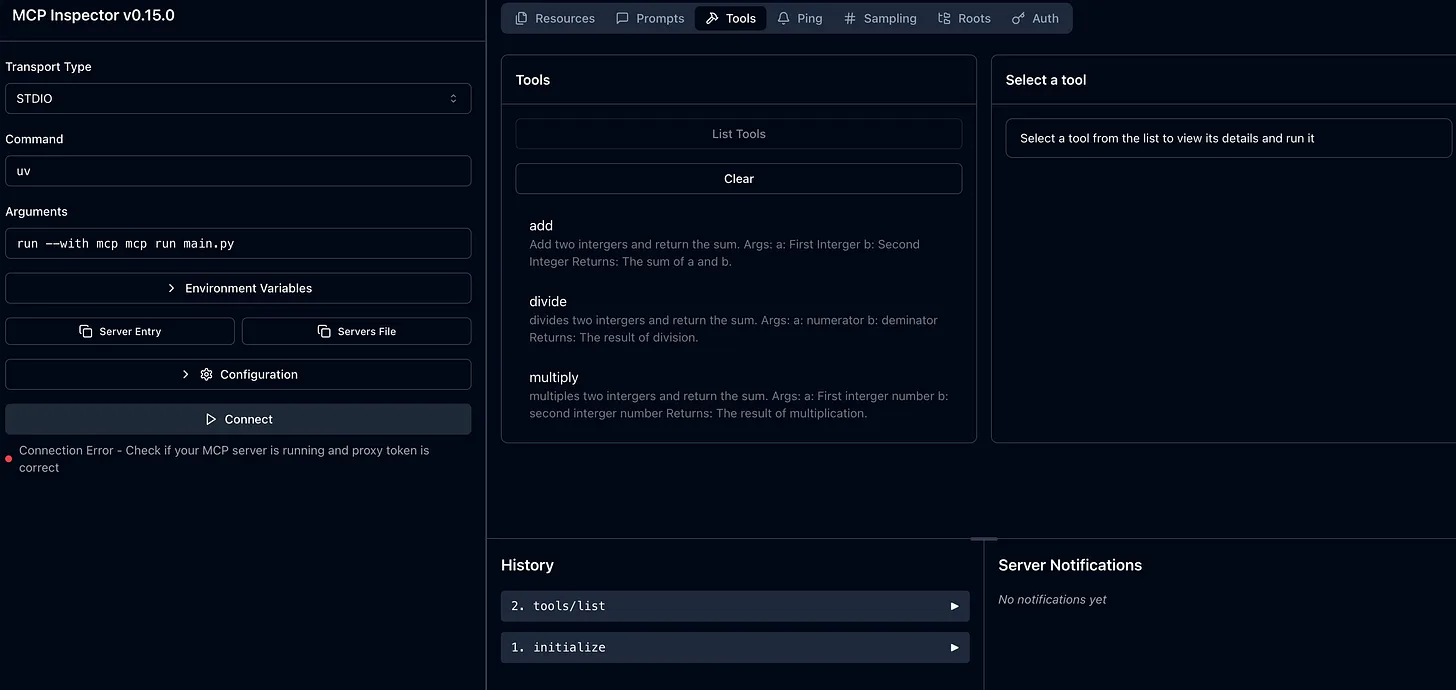
This is a simple Model Context Protocol (MCP) server that provides basic mathematical operations (addition, division and multiplication) for use with Claude Desktop.
Available Tools #
- Add - Add two integers together
- Divide - Divide two integers with zero-division with exception handling
- Multiply - Multiply two integers together
Step 4: Testing via MCP Inspector #
The easiest way to test your MCP server is through the MCP Inspector, which gives you a web-based UI.
uvx mcp dev main.py
Integrating with Claude Desktop #
Now that your server runs locally, let’s connect it to Claude Desktop.
Step 1: Edit the Claude Config File #
{
  "mcpServers": {
    "basic-math-ops": {
      "command": "/Users/username/.local/bin/uv",
      "args": [
        "run",
        "--directory",
        "/Users/username/projects/mcp/basic-math-ops",
        "python",
        "main.py"
      ]
    }
  }
}
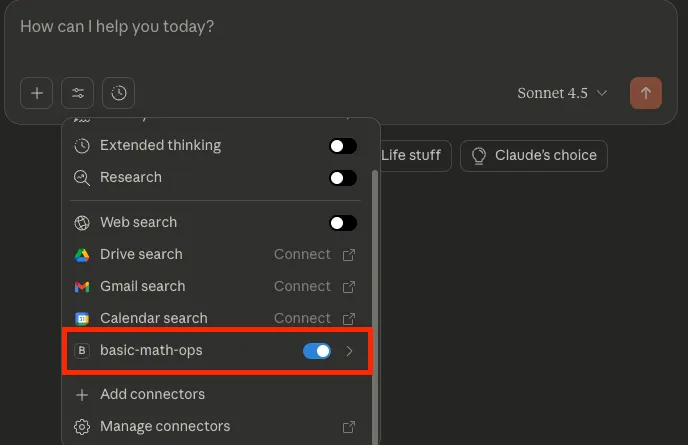
Step 2: Restart Claude Desktop #
Completely quit and reopen Claude Desktop. Once it restarts, Claude should automatically detect your new MCP server.
Step 3: Test Prompts #
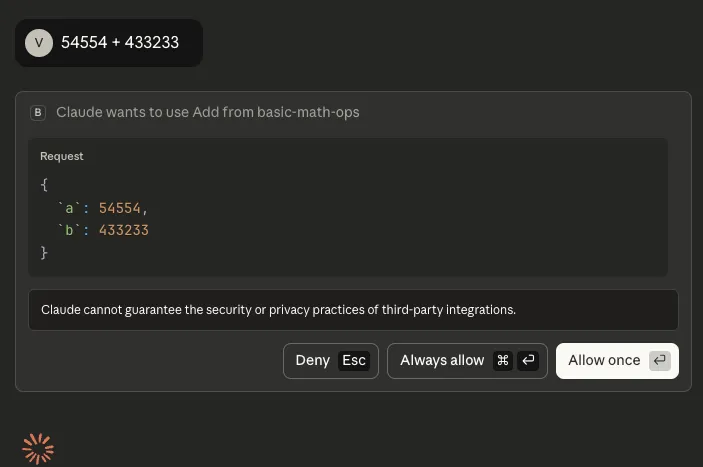
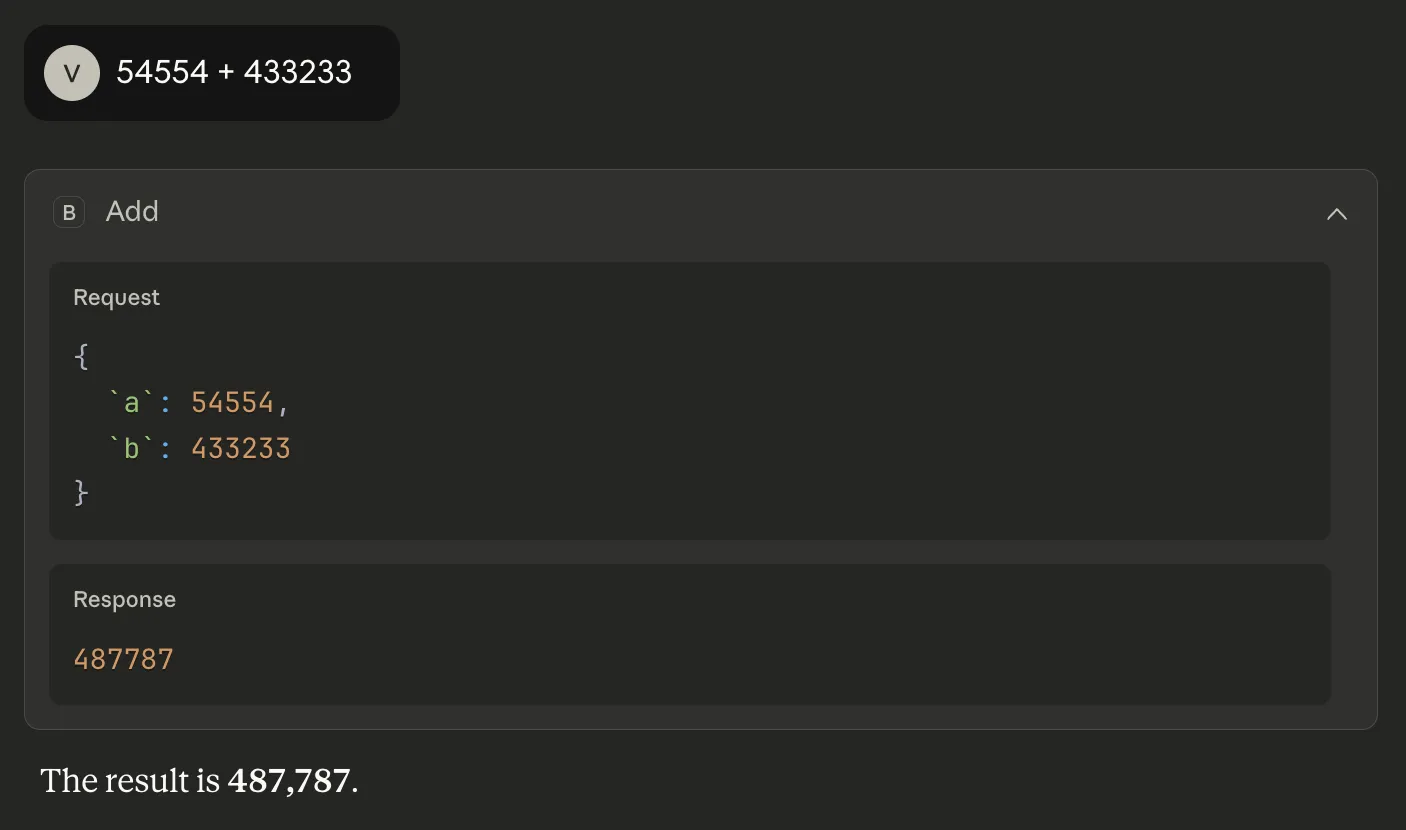
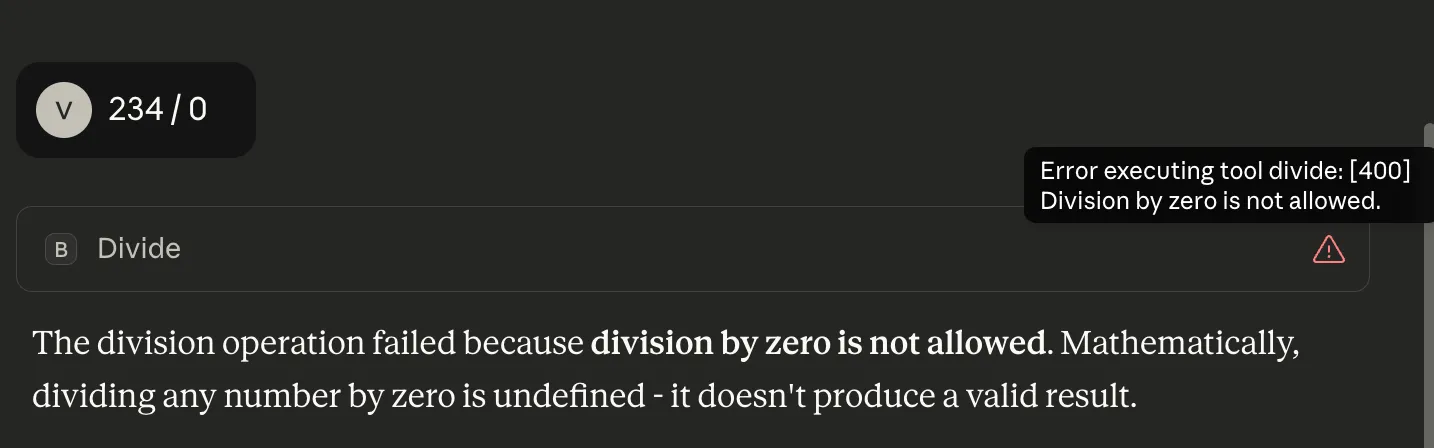
When prompting Claude to perform basic arithmetic operations like addition and division, the custom MCP server (basic-math-ops) is invoked with valid exception handling.
Conclusion: Beyond Basic Math #
What we built in this tutorial may look simple - a few lines of python to add, divide, and multiply numbers - but under the hood, it demonstrates the core pattern of how all MCP servers work.
Every MCP server, regardless of complexity, follows the same structure:
- Define tools → lightweight, callable functions that expose specific capabilities
- Start the MCP server runtime → which handles JSON-RPC communication between your tool and the AI model
- Optionally define resources and streams - for richer data or event-driven interactions
Code examples available at: https://github.com/Vinay-Venkatesh/mcp-server-examples/